
In This Article
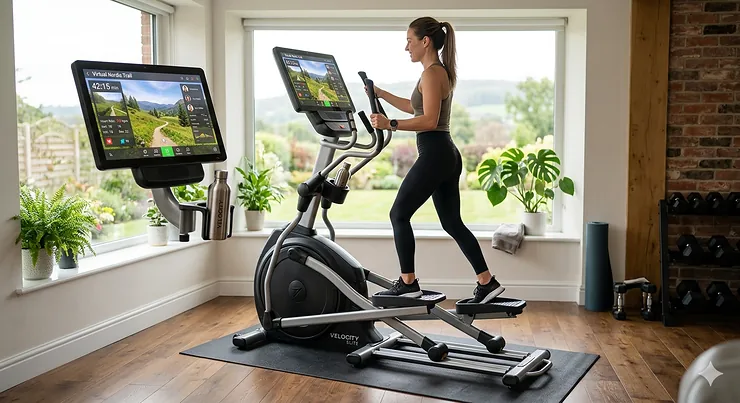
Here’s something most people don’t realize when shopping for ellipticals: that tiny 5-inch display you’re settling for might be sabotaging your entire workout motivation. I’ve tested dozens of elliptical machines over the years, and the screen size difference between a basic LCD and a proper 10-inch touchscreen isn’t just cosmetic—it fundamentally changes whether you’ll actually use the machine six months from now.
The large display elliptical machine category has exploded in popularity since 2024, and for good reason. When you can stream Netflix, follow trainer-led workouts, and track your metrics without squinting, suddenly that basement elliptical becomes something you actually want to use. The data backs this up: according to research from Hospital for Special Surgery, elliptical training delivers cardiovascular benefits comparable to running while placing significantly less stress on joints—but only if you’re consistent. A large, engaging display is what keeps you coming back.
We’re talking about displays ranging from 10 inches all the way up to 16 inches, with HD or 4K resolution, touchscreen capability, and integrated streaming services. These aren’t just bigger screens—they’re smart fitness hubs that connect to iFIT, JRNY, and other interactive platforms that literally auto-adjust your resistance to match the terrain of a virtual bike path in New Zealand. The difference between a budget console and these premium displays is the difference between reading a map on your phone versus having a GPS with real-time traffic updates.
In this guide, I’ll walk you through the seven absolute best large display elliptical machines available in 2026, from the budget-friendly options around $800 to premium commercial-grade models that rival what you’d find at an upscale gym. More importantly, I’ll tell you exactly who each machine is for and which features actually justify the price jump.
Quick Comparison Table: At-a-Glance Console Specs
| Model | Display Size | Console Type | Resistance Levels | Stride Length | Price Range |
|---|---|---|---|---|---|
| ProForm Pro E14 | 14″ HD | Touchscreen | 26 digital | 20″ adjustable | $1,600-$1,900 |
| Sole E95 (Touchscreen) | 13.3″ HD | Touchscreen | 20 ECB | 20″ adjustable | $1,900-$2,200 |
| NordicTrack Commercial 14.9 | 10″ HD | Touchscreen | 26 digital | 19″ adjustable | $1,400-$1,700 |
| NordicTrack FS10i | 10″ HD | Touchscreen | 24 digital | Variable stride | $1,500-$1,800 |
| ProForm Carbon E10 | 10″ HD | Touchscreen | 20 digital | 19″ adjustable | $1,200-$1,500 |
| Bowflex Max Trainer M9 | 10″ HD | Touchscreen | 20 magnetic | Hybrid motion | $1,700-$2,000 |
| Schwinn 470 | DualTrack LCD | Backlit LCD | 25 magnetic | 20″ fixed | $800-$1,000 |
Looking at this comparison, the ProForm Pro E14 delivers the largest screen real estate for the money, but notice how the Sole E95’s slightly smaller 13.3-inch display comes with ECB (eddy current brake) resistance—a smoother, quieter system that the digital systems can’t match at any screen size. Meanwhile, the Schwinn 470 proves you don’t need a touchscreen to get a quality large display experience; its DualTrack system shows more data points simultaneously than some single-screen touchscreens, perfect for data-focused users who don’t need streaming entertainment.
💬 Just one click—help others make better buying decisions too! 😊
Top 7 Large Display Elliptical Machines: Expert Analysis
1. ProForm Pro E14 Smart Elliptical
The ProForm Pro E14 dominates this category with its massive 14-inch HD touchscreen—the largest display you’ll find outside commercial equipment. This isn’t a tablet holder with a basic LCD; it’s a fully integrated interactive console that rivals the screens on premium Peloton equipment.
Key Specifications & Real-World Performance:
The 26 digital resistance levels paired with automatic trainer control means your iFIT coach can adjust intensity mid-workout without you touching a button. In practice, this matters more than you’d think—when you’re at max heart rate climbing a virtual hill in the Swiss Alps, the last thing you want is to fumble for resistance buttons. The 20-inch adjustable stride accommodates users from 5’2″ to 6’4″ comfortably, and the SMR Silent Magnetic Resistance lives up to its name; at moderate speeds, you can hear your TV without cranking the volume.
Expert Analysis:
What most buyers overlook about this model is the power incline capability—it goes up to 20 degrees, turning this into a serious leg-sculpting machine. Compare that to fixed-incline models where you’re stuck with whatever angle the manufacturer chose. The 350-pound weight capacity also signals serious frame construction; cheaper ellipticals typically max out at 250-275 pounds because the frame can’t handle more.
Customer feedback consistently mentions the screen quality and iFIT integration as standout features. Users recovering from knee injuries report being able to complete 30-minute workouts without joint pain—something they couldn’t do on a treadmill. A few note that iFIT subscription is essential to unlock the full potential; without it, you’re using a $1,700 machine with basic manual controls.
✅ Pros:
- Largest screen in consumer category (14″ HD)
- Automatic trainer control with iFIT integration
- Power incline up to 20 degrees for varied training
❌ Cons:
- Requires iFIT subscription for full functionality
- Heavy (footprint 79.75″L x 25.75″W x 72.25″H) requires dedicated space
Price & Value Verdict:
In the $1,600-$1,900 range, this is the screen-per-dollar champion. If streaming workouts and auto-adjusting terrain simulation matter to you, this is worth every penny over smaller-screen alternatives.
2. Sole E95 Elliptical (Touchscreen Version)
The Sole E95 underwent a major upgrade in late 2025 with the introduction of its 13.3-inch touchscreen variant, finally catching up to NordicTrack’s screen game. But what really sets the E95 apart isn’t the screen size—it’s what’s underneath: a 27-pound flywheel and ECB resistance.
Key Specifications & Real-World Performance:
The eddy current brake system delivers smoother resistance transitions than magnetic systems. When you jump from level 5 to level 15, there’s no lag or clunky feeling—just instant, seamless resistance change. The 20-inch stride is fixed but expertly engineered with Sole’s Precision Path foot motion technology, which reduces ankle and knee stress by mimicking natural walking/running biomechanics. Twenty resistance levels and twenty incline levels give you 400 possible workout combinations.
Expert Analysis:
Here’s what the spec sheet won’t tell you: the 236-pound machine weight isn’t just bulk—it’s stability. At high resistance with an aggressive stride, lighter ellipticals rock and shift. The E95 stays planted. The 400-pound weight capacity further proves the commercial-grade construction. Sole’s Studio app subscription (around $20/month) gives you access to 3,000+ workouts, but unlike iFIT, the machine remains fully functional without a subscription. All 10 built-in programs, resistance levels, and incline adjustments work independently.
Customers praise the silent operation and smooth feel even at maximum resistance. The wireless charging pad on the console is a thoughtful touch for keeping phones topped up during 45-minute sessions. Some users wish the screen had native Netflix support; currently, you need screen mirroring from your phone.
✅ Pros:
- ECB resistance for smoothest feel in this price range
- Fully functional without subscription requirement
- Exceptional warranty: lifetime frame, 3 years electronics
❌ Cons:
- No native streaming apps (requires screen mirroring)
- Higher price point than similar screen-size competitors
Price & Value Verdict:
Around $1,900-$2,200 positions this as a premium choice. The superior resistance system and lifetime frame warranty justify the cost if you’re planning to use this for 10+ years—far longer than the typical 3-5 year lifespan of budget ellipticals.
3. NordicTrack Commercial 14.9 Elliptical
The NordicTrack Commercial 14.9 combines a 10-inch HD touchscreen with front-drive engineering that mimics natural running biomechanics better than rear-drive alternatives. This is NordicTrack’s mid-tier offering, sitting between the budget-friendly SE series and the premium X-series.
Key Specifications & Real-World Performance:
The 26 digital resistance levels work in conjunction with a 20-degree power ramp for incline training. When your iFIT trainer says “we’re hitting a 15% grade,” the machine automatically tilts, and your quads immediately feel it. The 19-inch adjustable stride isn’t quite as generous as the 20-inch models, but it accommodates most users effectively. SMR Silent Magnetic Resistance keeps noise levels low enough for apartment living.
Expert Analysis:
What sets this apart from the NordicTrack Elite series is the commercial-grade flywheel and enhanced stability. The AutoBreeze workout fan automatically adjusts speed based on your intensity—a feature that sounds gimmicky until you experience it during HIIT intervals. The oversized cushioned pedals with two-degree inward slope reduce ankle and knee stress, which matters significantly for users with prior joint issues.
Users consistently rate the iFIT integration as best-in-class. The screen responsiveness during workouts is noticeably better than budget touchscreens that lag or miss touches. A common complaint centers on customer service; several reviews mention long wait times for replacement parts, though the machine itself rarely needs repairs.
✅ Pros:
- Smart incline matching for immersive terrain simulation
- AutoBreeze fan adjusts to workout intensity automatically
- 10-year frame warranty signals durability confidence
❌ Cons:
- 19-inch stride may feel limiting for taller users (over 6’2″)
- Customer service issues reported for warranty claims
Price & Value Verdict:
In the $1,400-$1,700 range, this offers excellent value for iFIT enthusiasts. If you’re committed to interactive training, this delivers more bang-per-buck than the pricier FS10i.
4. NordicTrack FS10i FreeStride Trainer
The NordicTrack FS10i isn’t technically a pure elliptical—it’s a FreeStride trainer that combines elliptical, stepper, and treadmill motions into one machine. That versatility comes with a 10-inch HD touchscreen and the ability to vary your stride length from 0 to 38 inches on the fly.
Key Specifications & Real-World Performance:
The 24 digital resistance levels and variable stride create an almost infinite combination of workout intensities. The center-drive design places the flywheel on either side of the user rather than front or back, resulting in a more natural movement pattern. This matters especially for taller users who feel cramped on traditional front-drive ellipticals. The 32-inch stride capability transforms this into a legitimate running trainer that doesn’t exist anywhere else in the consumer market.
Expert Analysis:
Here’s the crucial insight: the FreeStride’s killer feature isn’t the screen—it’s the motion versatility. You can simulate hiking, stairs, power walking, or running without owning four separate machines. For home gyms with limited space, this single machine replaces a traditional elliptical, stair stepper, and potentially even a treadmill for low-impact runners. The 0-10% incline and -10% decline capabilities (yes, it goes downhill) add training dimensions impossible on fixed-angle machines.
Customer reviews split into two camps: those who love the freedom of movement and those who find it takes getting used to. Unlike a fixed-stride elliptical where your body quickly learns the pattern, the FreeStride requires conscious control. This engages stabilizer muscles but also means you can’t zone out and watch TV on autopilot.
✅ Pros:
- Variable stride (0-38 inches) replaces multiple machines
- Incline and decline capability for complete terrain training
- Center-drive design suits taller users exceptionally well
❌ Cons:
- Learning curve for those accustomed to fixed-stride ellipticals
- Larger footprint than traditional ellipticals
Price & Value Verdict:
At $1,500-$1,800, this costs more than a basic elliptical but less than buying an elliptical AND a stepper. If you value workout variety and have the space, the FS10i delivers unmatched versatility per dollar.
5. ProForm Carbon E10 Smart Elliptical Trainer
The ProForm Carbon E10 brings a 10-inch HD touchscreen down to the $1,200-$1,500 range—a price point where most competitors still offer basic LCDs. This is ProForm’s sweet-spot model for buyers who want smart features without premium pricing.
Key Specifications & Real-World Performance:
The 20 digital resistance levels cover everything from recovery rides to max-effort sprints. The 19-inch adjustable stride accommodates most household users, though the tallest family members might wish for another inch. At 350 pounds, the weight capacity matches machines costing $500 more, signaling quality construction that won’t wobble under load.
Expert Analysis:
What most reviews miss about the Carbon E10 is the three-year iFIT family membership included with purchase. Do the math: iFIT runs around $180/year for families, so three years equals $540 in value bundled into the purchase price. After three years, you can choose whether to renew or simply use the machine’s 26 built-in workout programs and manual controls.
The front-mounted transport wheels make this genuinely movable—critical for shared spaces where the elliptical needs to roll aside for other activities. Users love the space-saving design (49.2″L x 30.5″W x 65.1″H is compact for a full-size elliptical). The main complaint centers on the console needing occasional recalibration; a handful of users report the touchscreen losing responsiveness after 6-12 months, though ProForm’s customer service typically resolves this under warranty.
✅ Pros:
- Three-year iFIT membership included (substantial value-add)
- Compact footprint for apartments or multipurpose rooms
- Front transport wheels for easy repositioning
❌ Cons:
- Touchscreen reliability issues reported by some users
- Shorter stride may not suit users over 6’3″
Price & Value Verdict:
At $1,200-$1,500, this is the best screen-size-to-price ratio in the market. The included three-year membership essentially knocks $400-500 off the effective cost if you planned to subscribe anyway.
6. Bowflex Max Trainer M9
The Bowflex Max Trainer M9 technically isn’t an elliptical—it’s a hybrid that combines elliptical motion with a stepper’s vertical climb. But its 10-inch HD touchscreen and unique approach to cardio earn it a spot on this list for anyone seeking maximum calorie burn in minimal time.
Key Specifications & Real-World Performance:
The 20 resistance levels on the Max Trainer feel different from traditional ellipticals because you’re also working against gravity with the stepping motion. Bowflex claims you can achieve the cardio benefits of a 30-minute run in just 14 minutes, and while those claims are always inflated, the Max Trainer does deliver noticeably higher heart rates in shorter periods than standard ellipticals at equivalent effort levels. The 49.2″L x 30.5″W x 65.1″H footprint is half the size of traditional ellipticals.
Expert Analysis:
Here’s what separates the M9 from its cheaper sibling (the M6): the touchscreen console with built-in JRNY experience. The M6 costs $500 less but has a basic LED display—no streaming, no guided workouts, just resistance level and time. If you plan to use the machine for entertainment-while-exercising, that $500 premium for the M9’s screen is worth every penny. If you’re the type who just wants to watch your own Netflix on a tablet, save the money and buy the M6.
The four-grip handlebars accommodate different hand positions for upper body variation, and the included Bluetooth heart rate armband is a nice touch (most competitors make you buy this separately). Users love the space-saving footprint and effective calorie burn. The trade-off is limited workout variety—you’re getting a HIIT machine, not a long-slow-distance cardio tool.
✅ Pros:
- Compact footprint (half the length of traditional ellipticals)
- HIIT-optimized for maximum calorie burn per minute
- Built-in JRNY coaching and Netflix/Prime streaming
❌ Cons:
- Higher impact than pure ellipticals (not ideal for severe joint issues)
- Limited to high-intensity workouts; not great for steady-state cardio
Price & Value Verdict:
Around $1,700-$2,000 positions this as a specialized tool rather than an all-purpose machine. If your goal is efficient calorie-blasting and you have space constraints, the M9 excels. For rehabilitation or pure low-impact training, traditional ellipticals serve better.
7. Schwinn 470 Elliptical Machine
The Schwinn 470 proves you don’t need a touchscreen to get a large, informative display. Its DualTrack blue backlit LCD system shows 29 workout programs across two separate windows, giving you more simultaneous data visibility than many touchscreens.
Key Specifications & Real-World Performance:
The 25 magnetic resistance levels and 20-inch stride provide a complete workout range. The 10-degree motorized incline isn’t as dramatic as the 20-degree power ramps on premium models, but it’s sufficient for most home users. The Precision Path foot motion technology mimics natural biomechanics to reduce joint stress—Schwinn’s engineering team spent years perfecting this, and it shows in the smooth, comfortable motion.
Expert Analysis:
What the Schwinn 470 gets right that touchscreen models sometimes miss: data visibility. The dual displays let you track both real-time metrics (speed, RPM, heart rate) and cumulative stats (distance, calories, time) simultaneously without toggling between screens. For data-driven athletes training to specific heart rate zones or calorie targets, this layout beats many touchscreens that prioritize video entertainment over metrics.
The Bluetooth connectivity works with Schwinn Connect, MyFitnessPal, and Apple Health for automatic workout syncing. No subscription required—everything is free. The three-speed fan, USB charging port, and media shelf accommodate entertainment without needing an integrated screen. Users consistently rate this as “just works”—reliable, quiet, effective, without the complexity or potential failure points of smart connectivity.
✅ Pros:
- DualTrack display shows more metrics simultaneously than many touchscreens
- Zero subscription fees; all features included permanently
- Excellent value-per-feature ratio under $1,000
❌ Cons:
- No streaming video or interactive terrain features
- 10-degree incline less dramatic than 20-degree competitors
Price & Value Verdict:
At $800-$1,000, this is the budget champion for large-display ellipticals. If you don’t care about streaming Netflix while exercising and just want comprehensive workout data, the Schwinn 470 delivers more machine for the money than touchscreen alternatives costing $500+ more.
Understanding Display Technology: What Actually Matters in 2026
When manufacturers tout their “10-inch HD touchscreen,” most buyers don’t realize there’s a massive quality difference between displays. Here’s what separates premium screens from budget pretenders.
Resolution and Viewing Angles
A true HD display (1920×1080) remains crisp when viewing from the angles you’ll naturally be at while exercising. Cheaper 10-inch displays often use 1024×768 resolution—technically “large” but fuzzy and hard to read during motion. The viewing angle matters more than most realize; if you can only see the screen clearly while standing directly in front, you’ll constantly adjust your position mid-stride to check metrics.
Touchscreen Responsiveness
Not all touchscreens are created equal. Capacitive touchscreens (like your smartphone) respond instantly to light touches. Resistive touchscreens (found on budget models) require firm pressure and often miss inputs when your fingers are sweaty. When you’re at 85% max heart rate and trying to adjust resistance, a non-responsive screen kills your momentum and ruins the workout flow.
Brightness and Anti-Glare
Premium displays measure 400+ nits of brightness with anti-glare coatings. Budget displays hit 200-250 nits, making them nearly unusable in bright rooms or near windows. If your home gym has natural light, this becomes a deal-breaker. According to Mayo Clinic research on low-impact exercise, consistent exercise is key to joint health—and you won’t be consistent with a machine you can’t read.
Smart Features vs. Basic Displays
The real divide isn’t size—it’s capability. Basic LCDs show time, distance, calories, and heart rate. Smart touchscreens run apps, stream video, auto-adjust resistance based on terrain, track progress over time, and sync with fitness ecosystems. If you’re someone who needs external motivation and variety, smart features become necessity, not luxury. If you self-motivate well and just need metrics, basic large displays work fine at half the cost.
First 30 Days: Optimizing Your Large Display Elliptical Experience
Most people unbox their new elliptical, jump on, and wonder why they’re not getting the immersive experience promised in marketing videos. Here’s how to actually set up and use these machines properly.
Week 1: Calibration and Positioning
Your display’s viewing angle matters more than you think. Position the machine so your natural eye level during exercise aligns with the screen center—not tilted up at an awkward neck angle. Most touchscreen models have tilting console capability; spend five minutes adjusting this before your first real workout.
Connect to WiFi immediately and complete all firmware updates. Manufacturers continuously improve console responsiveness and fix bugs; running version 1.0 software guarantees a subpar experience. Create your user profile with accurate height, weight, and fitness level—these machines use this data to calculate calorie burn and customize workout suggestions.
Week 2: Exploring Workout Modes
Don’t default to manual mode just because it’s familiar. Try every preset program on your machine. The “Hill Climb” programs auto-adjust resistance and incline in ways you’d never manually program mid-workout. The “Fat Burn” programs keep you in specific heart rate zones optimized for calorie consumption. These programs exist because sports scientists spent years developing optimal workout patterns.
If your machine includes interactive training (iFIT, JRNY, Explore the World), commit to three sessions following guided workouts. Having a virtual coach say “30 seconds hard, then recover” pushes you harder than you’d push yourself. The automatic resistance adjustments based on terrain create workout variety impossible to replicate manually.
Week 3: Integration and Entertainment
Set up your streaming accounts. Most premium displays now support Netflix, Hulu, Prime Video, and others. For 45-60 minute steady-state cardio sessions, being able to watch a show makes the time fly. Just note: you can’t stream Netflix AND follow an iFIT workout simultaneously on most machines—you choose one or the other each session.
Connect Bluetooth headphones if your living situation requires quiet. The built-in speakers are fine for moderate volumes, but neighbors or sleeping kids necessitate wireless audio. Also sync your fitness apps: Apple Health, Strava, MyFitnessPal, etc. Having your elliptical workouts automatically logged alongside your other activities gives you comprehensive fitness tracking.
Week 4: Maintenance and Troubleshooting
Wipe down the touchscreen with a microfiber cloth after each use. Sweat is acidic and degrades screen coatings over time. Check that your machine is plugged into a surge protector—power surges can brick the console, and most warranties exclude electrical damage.
If your touchscreen becomes unresponsive, try the console reset procedure (usually holding down multiple buttons simultaneously for 10 seconds). This clears software glitches without erasing your data. If certain apps won’t load, check your WiFi signal strength; these machines need strong, consistent internet for streaming workouts.
How to Choose the Right Large Display Elliptical for Your Needs
The market breaks down into three distinct buyer types, each with different optimal choices:
The Interactive Training Enthusiast
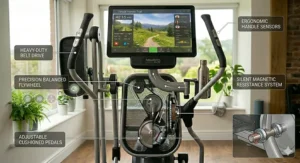
If you thrive on guided workouts, leaderboards, and virtual terrain simulation, prioritize machines with iFIT or JRNY integration. The NordicTrack Commercial 14.9 or ProForm Pro E14 give you automatic resistance control synchronized with trainer instructions. You need reliable WiFi in your workout space and must factor subscription costs ($180-240/year) into your total ownership budget.
The larger the screen, the more immersive the experience. A 10-inch display is the minimum for comfortable video viewing during exercise; 14-inch or larger transforms the experience. You’ll also want built-in speakers or Bluetooth audio capability for clear instructor voice-overs.
The Data-Driven Athlete
If you train to specific metrics (heart rate zones, calorie targets, power output), you need comprehensive data display. The Schwinn 470’s DualTrack system or Sole E95’s detailed metrics dashboard serve better than flashy touchscreens that prioritize video over numbers. You want Bluetooth heart rate monitor compatibility—chest straps or armbands provide far more accurate readings than handlebar sensors.
Look for machines that export workout data to third-party apps. Being able to analyze your elliptical sessions alongside cycling and running data in one platform (Strava, TrainingPeaks) reveals training patterns and recovery needs. Subscription-free operation matters here—you shouldn’t need to pay monthly fees just to access your own workout data.
The Entertainment Multitasker
If your primary goal is burning calories while watching shows, your needs are different. You want a large, bright touchscreen with native streaming apps—not just screen mirroring from your phone (which drains phone battery and doesn’t always work reliably). The ProForm models with built-in Netflix/Hulu support or the Bowflex M9 with streaming capability fit this use case.
Prioritize console viewing angles and anti-glare coatings. A gorgeous screen that you can’t see from your natural stride position is useless. Test this in-store if possible—step on the machine and verify you can comfortably watch the screen without hunching or tilting your head awkwardly.
Large Display vs. Tablet Holders: Making the Right Choice
Many buyers wonder: should I spend an extra $600-800 for an integrated touchscreen or just get a solid elliptical with a tablet holder? Here’s the honest analysis.
Integrated Touchscreen Advantages
Auto-adjusting resistance based on workout programs creates training you simply cannot replicate manually. When an iFIT coach says “we’re hitting a 10% grade,” the machine instantly adjusts—your hands never leave the handlebars, your heart rate stays elevated, and the workout flows seamlessly. With a tablet, you’d need to manually adjust every resistance and incline change, breaking your rhythm and reducing workout effectiveness.
The built-in displays are designed for viewing during motion—they’re brighter, have wider viewing angles, and mount at optimal eye level. Your tablet, even in a holder, reflects glare, moves slightly with machine vibration, and sits too low or too high for comfortable viewing while exercising.
Tablet Holder Advantages
You’re not locked into a single ecosystem. iFIT subscription costs $180-240 per year; if you cancel, your expensive touchscreen becomes a basic display. With your own tablet, you switch between Peloton Digital, Apple Fitness+, YouTube workout videos, Netflix, or whatever you want without machine limitations.
When technology advances, you upgrade your tablet, not your entire elliptical. Five years from now, your 2026-era integrated touchscreen will feel dated, but you’ll be running a 2031 tablet with better resolution and faster processing. This flexibility extends the functional lifespan of your equipment investment.
The Middle Ground
Solid ellipticals like the Schwinn 470 cost $800-1,000 and include large data displays plus tablet holders. Add a $300-400 tablet (or use your existing one), and you’re at $1,100-1,400 total—still hundreds less than integrated touchscreen models. You get workout data from the machine and entertainment from your tablet. For many buyers, this combination delivers 90% of the premium experience at 60% of the cost.
The exception: serious interactive training users. If you’re committed to iFIT’s auto-adjusting workouts and don’t mind the subscription cost, integrated touchscreens provide an experience tablets can’t match. You’re paying for seamless integration between content and hardware—and for dedicated users, that integration is worth the premium.
Common Mistakes When Buying Large Display Ellipticals
Mistake 1: Prioritizing Screen Size Over Resistance Quality
A gorgeous 14-inch touchscreen paired with cheap magnetic resistance and a light flywheel creates a terrible workout experience. The smoothness of your stride matters more than screen size. Look for flywheel weights (20+ pounds), ECB or high-quality magnetic resistance systems, and user reviews mentioning “smooth” and “quiet” operation. The ProForm Pro E14’s big screen is great, but it’s the 26 resistance levels and power incline that make it a complete machine.
Mistake 2: Ignoring Stride Length
If you’re over 5’10”, a 17-18 inch stride will feel cramped and unnatural, forcing shortened steps that reduce workout effectiveness. The 20-inch stride on the Sole E95 and Schwinn 470 accommodates a natural range of motion for taller users. Adjustable stride models like the NordicTrack FS10i solve this by letting different family members customize stride length—critical for households with significant height differences.
Mistake 3: Underestimating Space Requirements
That sleek elliptical in the showroom needs 2-3 feet of clearance on all sides for safe operation. The stride motion extends beyond the machine’s resting footprint. Budget models (49″L) fit tighter spaces than commercial-size units (75″L+). Measure your space, add clearance, and verify the machine fits BEFORE ordering. The ProForm Pro E14 at nearly 80 inches long won’t work in a 10×10 room no matter how amazing the screen is.
Mistake 4: Assuming All Touchscreens Are Equal
The difference between a $1,000 elliptical with a “10-inch touchscreen” and a $1,500 model with the same screen size is often the screen quality itself. Resistive touchscreens on budget models require hard presses and miss inputs. Capacitive touchscreens on premium models respond instantly like your smartphone. Read reviews specifically mentioning touchscreen responsiveness—if users complain about lag or missed touches, that ruins the entire experience.
Mistake 5: Forgetting About Ongoing Costs
That $1,600 NordicTrack with iFIT included looks like great value until you realize the subscription costs $180-240/year indefinitely. Over a 10-year ownership period, you’re looking at $1,800-2,400 in subscription fees on top of the purchase price. The Schwinn 470’s zero-subscription model means your $900 purchase is your only expense. Factor ongoing costs into your decision—especially if family budget constraints might force you to cancel subscriptions later, leaving you with crippled functionality.
Maximizing Your Investment: Long-Term Cost and Maintenance Analysis
Let’s break down the true cost of ownership for these machines—because the sticker price tells only part of the story.
Year 1-3: The Initial Investment Period
Your upfront costs include the machine ($800-2,200), assembly ($50-300 if not DIY), a protective mat ($40-80 to prevent floor damage), and subscription fees if applicable ($180-240/year). For a Sole E95 at $2,000 with no subscription, your Year 1 total is around $2,100-2,200. For a NordicTrack Commercial 14.9 at $1,600 with iFIT, you’re looking at $1,900+ in Year 1, then $200+ annually.
Maintenance during this period is minimal—quarterly lubrication of moving parts ($10/year in lube), occasional belt tension checks (free), and wiping down the display and frame (basically free). Most machines come with 1-3 year parts warranties covering anything that breaks.
Year 4-7: The Reliability Window
This is where build quality separates premium from budget. The Sole E95’s lifetime frame warranty and 27-pound flywheel mean you’re likely paying nothing beyond routine maintenance. Budget ellipticals in the $800-1,200 range may need replacement parts: console boards ($150-300), flywheel bearings ($80-150), or resistance sensors ($60-120).
Subscription-based models face a decision point: continue paying or lose interactive features. If you’ve been paying iFIT for five years, that’s $900-1,200 in subscription costs—nearly enough to have bought a second elliptical. This is when many users cancel subscriptions and realize they’ve been paying for features they could have lived without.
Year 8-10: The Longevity Test
Quality construction shines here. Commercial-grade machines like the Sole E95 or NordicTrack Commercial series still run smoothly. Budget models often develop problems: console failures, resistance system degradation, frame wobble, or bearing noise. These repairs cost $200-500 or prompt replacement purchases.
Over 10 years, the Schwinn 470 ($900 purchase) costs roughly $1,050 total (purchase + maintenance). The NordicTrack Commercial 14.9 ($1,600 + $200/year subscription) costs around $3,600 total. The Sole E95 ($2,000 purchase, no subscription) costs approximately $2,250 total. Which represents better value depends entirely on how much you actually use and value the interactive training features.
Total Cost of Ownership Decision Framework
If you’ll genuinely use interactive training 3+ times weekly for years, subscription costs deliver value through motivation and variety. If you’re disciplined and self-motivated, subscription-free machines save thousands over a decade. Be honest about which category you fall into—most people overestimate their future motivation and underutilize subscription features.
Frequently Asked Questions
❓ Can I use a large display elliptical without a subscription?
❓ What's the minimum display size worth considering for streaming workouts?
❓ Do touchscreen ellipticals require special maintenance compared to basic consoles?
❓ How important is WiFi reliability for smart ellipticals with large displays?
❓ What display size do professional trainers recommend for home gyms?
Conclusion: Choosing Your Perfect Large Display Elliptical
After analyzing seven exceptional large display elliptical machines, the pattern becomes clear: your perfect choice depends entirely on your workout style and long-term commitment.
For interactive training devotees, the ProForm Pro E14 delivers the largest screen and most immersive iFIT experience, while the NordicTrack Commercial 14.9 offers similar features at a slightly lower price point. These machines transform cardio from a chore into an adventure—but require ongoing subscription commitment to justify their cost.
For those prioritizing quality construction and long-term value, the Sole E95 (Touchscreen Version) stands alone with its commercial-grade ECB resistance, lifetime frame warranty, and subscription-free operation. You’re paying more upfront but saving potentially thousands in subscription fees over a decade.
Budget-conscious buyers shouldn’t overlook the Schwinn 470, which proves that large displays don’t require large budgets. Its DualTrack LCD system provides more simultaneous data than many touchscreens, and zero subscription fees mean your $900 investment never grows.
The Bowflex Max Trainer M9 occupies its own category for space-constrained HIIT enthusiasts who prioritize efficient calorie burn over long, steady cardio sessions.
Remember: according to research from Healthline on elliptical benefits, elliptical training delivers cardiovascular benefits comparable to running while reducing joint stress by up to 40%. But these benefits only materialize through consistent use. Choose the display size and features that genuinely motivate you personally—not what sounds impressive on paper.
The best large display elliptical is the one you’ll actually use three times weekly for the next five years. Be honest about your exercise personality, budget for ongoing costs if choosing subscription models, and prioritize build quality over flashy features. Your joints, heart, and future self will thank you.
✨ Don’t Miss These Exclusive Deals!
🔍 Take your home fitness to the next level with these carefully selected elliptical machines. Click on any highlighted item to check current pricing and availability. These machines will help you achieve authentic cardiovascular results your family will notice!
Recommended for You
- 7 Best 7″ Display Elliptical Machines for Smart Home Workouts 2026
- 7 Best Fitness App Compatible Ellipticals 2026 | Tested & Approved
- 7 Best Internet Connected Ellipticals That Transform Home Workouts (2026)
Disclaimer: This article contains affiliate links. As an Amazon Associate, I earn from qualifying purchases. If you purchase products through these links, we may earn a small commission at no additional cost to you.
✨ Found this helpful? Share it with your friends! 💬🤗
