
In This Article
A universal tablet holder for stationary bike use is a clamp- or strap-mounted cradle that grips your handlebar and holds a tablet or large phone at eye level. It adjusts to different screen sizes and bar diameters, frees your hands, and keeps the screen out of the sweat zone. One accessory can turn almost any indoor bike into a streaming-class machine.
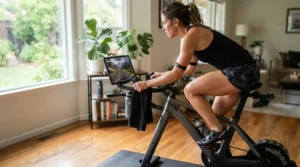
Indoor cycling has one tragic flaw: you pedal furiously and arrive nowhere. Boredom ends more sessions than any hill ever will. A small conference study of 18 moderately active college-age adults compared 20 minutes of moderate cycling with and without a TV show. Heart rate and perceived exertion were lower when riders had something to watch. A screen at eye level won’t make you fitter on its own, but it makes the minutes pass.
A holder that wobbles, slips, or refuses to fit your bars is a surprisingly expensive way to feel disappointed, even when it costs twenty bucks. This guide compares seven real options, from a budget tablet holder stationary bike pick to an industrial-grade mount. It also untangles the two questions that decide success: bike handlebar clamp size and tablet holder weight limit.
One transparency note: everything here comes from manufacturer specs, retailer data, and aggregated reviews. I haven’t ridden with these products and won’t pretend otherwise. Prices appear as ranges and reflect what I found at the time of research, so check current price before you buy.
Quick Comparison: 7 Universal Tablet Holder for Stationary Bike Options at a Glance
| Holder | Handlebar Fit | Tablet Size | Price Range | Best For |
|---|---|---|---|---|
| KDD Spin Bike Tablet Holder | 0.55–1.33 in (14–34 mm) | 4.7–13 in | Budget, under ~$30 | Most riders |
| Lamicall Tablet Holder for Spin Bike | 0.5–1.33 in (14–34 mm) | 4.7–12.9 in | Budget, under ~$35 | Metal-clamp seekers |
| AboveTEK Universal Handlebar Mount | Strap-on, size-flexible | 3.5–12 in | Budget, under ~$30 | Tight budgets, odd bars |
| Sunny Health & Fitness No. 082 | Strap-on | Phone to small tablet (verify) | Budget tier | Simple strap setups |
| Arkon Tablet Clamp Mount (IBT-33997) | 0.47–1.57 in (12–40 mm) | 7–18.4 in | Mid-tier | Thick bars, big tablets |
| Tacx Tablet Handlebar Mount (T2092) | 26–35 mm | 182–267 × 112–197 mm, up to 13 mm thick | ~$40–$120, varies by retailer | Trainer and Zwift riders |
| RAM Mounts X-Grip Handlebar U-Bolt Mount | U-bolts for ~0.5–1.25 in rails | 9–11 in (other sizes sold) | ~$100–$165 | Long-term durability |
Looking at the comparison above, the KDD Spin Bike Tablet Holder and Lamicall Tablet Holder for Spin Bike offer the broadest fit for the least money. The Arkon Tablet Clamp Mount is the better pick when your bars are chunky or your tablet is enormous. The Tacx Tablet Handlebar Mount only makes sense if your bars land inside its narrow 26–35 mm window, and the RAM Mounts X-Grip is for riders who value longevity over price. Strap-style models like the AboveTEK Universal Handlebar Mount trade clamp precision for flexibility.
💬 Just one click — help others make better buying decisions too!😊
Top 7 Universal Tablet Holder for Stationary Bike Picks: Expert Analysis
Each pick below gets the same treatment: what the specs mean in practice, who it suits, and what aggregated reviews say. Where I couldn’t verify real review data, I say so rather than fill the gap with invention.
1. KDD Spin Bike Tablet Holder — best universal pick for most riders
Versatility is the headline. This 2-in-1 holder is built to cradle anything from a 4.7-inch phone to a 13-inch tablet, so one purchase survives your next tablet upgrade.
Its spring-loaded clamp with rubber pads grips bars from 0.55 to 1.33 inches (roughly 14–34 mm). That covers most spin bike and treadmill rails, though not the thickest 1.5-inch tubes. The 360-degree rotation means landscape for streaming and portrait for reading, with no tools implied for repositioning.
Based on the spec comparison, this is the one I’d put in front of a first-time buyer. The device range is wide and the clamp range is sensible. The rubber pads should help with the vibration that makes cheap mounts creep downward mid-ride.
A 2026 roundup of exercise-bike holders ranked it as its top universal pick, crediting the padded clamp with resisting slipping and vibration. I couldn’t verify an independent review count, so treat that as one source’s verdict.
Pros:
- ✅ Fits phones up to 13-inch tablets
- ✅ Padded spring clamp resists slipping
- ✅ 360-degree rotation for any viewing angle
Cons:
- ❌ Won’t fit very thick handlebars
- ❌ No published weight limit on listings I found
Price range: typically budget tier, under roughly $30. Value verdict: hard to beat for a first holder.
2. Lamicall Tablet Holder for Spin Bike — aluminum clamp without the premium sting
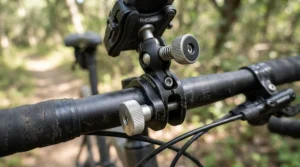
Where plastic flexes, metal holds its line. That is the pitch here: an aluminum clamp paired with a 360-degree rotating ball for devices from 4.7 to 12.9 inches.
The handlebar range is 0.5–1.33 inches (14–34 mm), nearly identical to the KDD. A rigid clamp matters more than it sounds. During a standing climb or sprint, a flexy arm turns your screen into a bobblehead, and metal generally keeps that to a minimum.
This is my pick for riders who’ve had a plastic mount fail before. The aluminum build gives it a more premium feel without a premium bill, which is the whole point of a budget tablet holder stationary bike purchase.
One roundup notes the model has more than 2,000 reviews behind it, with praise for build quality described as consistent. That is one site’s summary, not something I verified review by review.
Pros:
- ✅ Aluminum clamp feels sturdier than plastic
- ✅ Handles tablets up to 12.9 inches
- ✅ Smooth 360-degree ball joint
Cons:
- ❌ Clamp range stops near 1.33 inches
- ❌ Tight fit for large tablets in thick cases
Price range: budget tier, roughly $15–$35 based on comparable listings. Value verdict: excellent for the money.
3. AboveTEK Universal Handlebar Mount — the cheap bike tablet holder that straps on anywhere
If your handlebar is oddly shaped, too thick for a clamp, or just stubborn, a strap solves the problem. This mount uses an expandable pole and a strap that wraps the bar, so there is no fixed clamp range to fall outside of.
It holds devices from 3.5 to 12 inches in a padded cradle. The listing highlights an anti-shock connection between the cradle and the swivel ball head, which targets exactly the vibration that loosens cheaper mounts over time.
The practical trade-off is rigidity. A strap generally can’t clamp as tightly as a hard jaw on a smooth tube, so I’d expect more flex under a big tablet. The 12-inch ceiling also rules out the 12.9-inch iPad Pro. This one makes sense as a cheap bike tablet holder for phones and small-to-midsize tablets.
A shopping feature described hundreds of strong customer reviews, but I couldn’t confirm exact figures. Treat that as general sentiment, not a verified rating.
Pros:
- ✅ Strap fits bars a clamp can’t
- ✅ Padded cradle protects your device
- ✅ Very low cost of entry
Cons:
- ❌ Less rigid than a hard clamp
- ❌ Excludes 12.9-inch tablets
Price range: it has appeared in sub-$30 roundups. Value verdict: strong for small tablets, risky for big ones.
4. Sunny Health & Fitness No. 082 Universal Bike Mount Clamp Holder — strap-on simplicity from a bike brand
Sunny Health & Fitness makes indoor cycling bikes, so this holder comes from people who know what an exercise-bike handlebar looks like. The brand’s own page describes a strap-around-the-bar, tighten-to-secure design for phones and tablets.
That simplicity is the appeal. There is no clamp range to measure, no tools to hunt for, and no wrestling with a console. The weak spot is documentation: I couldn’t confirm a maximum screen size from the sources I reached, so check the listing before you commit a large tablet to it.
I’d frame this as the low-drama choice for phones and smaller tablets, particularly if you already own a Sunny bike. For a heavy 12-inch tablet in a case, a hard-jaw clamp is the safer bet.
On the brand’s own site it showed roughly 4.3 out of 5 across about 18 reviews at the time of research. That is a small sample, so don’t lean on it too hard.
Pros:
- ✅ Made by an indoor-cycling brand
- ✅ Quick strap-on installation
- ✅ Brand site lists a 30-day money-back policy
Cons:
- ❌ Small review pool so far
- ❌ Maximum screen size unclear
Price range: budget tier; check current price. Value verdict: fine for small screens, unproven for big ones.
5. Arkon Tablet Clamp Mount (IBT-33997) — the one for giant tablets and thick bars
Arkon’s pitch is range. It fits tablets from 7 to 18.4 inches and handlebars from 0.47 to 1.57 inches (about 12–40 mm), making it the widest-fitting clamp in this lineup.
That 1.57-inch ceiling matters. Some gym-style and commercial bikes use fatter tubes, and the KDD and Lamicall top out around 1.33 inches. The kit also includes three support-leg sizes, which suggests the maker expects fit problems and ships the fix in the box. The 360-degree ball swivel handles angle.
Here’s the catch no spec sheet advertises: a bigger tablet on a swivel ball means more leverage on that joint. Just because it holds 18.4 inches doesn’t mean you should bolt your heaviest tablet to the end of a long arm.
I couldn’t verify aggregated review sentiment for this model from the sources I could access, so I won’t characterize it.
Pros:
- ✅ Widest handlebar range in the lineup
- ✅ Accepts tablets up to 18.4 inches
- ✅ Includes three support-leg sizes
Cons:
- ❌ Big tablets add leverage stress
- ❌ Independent review data unverified
Price range: mid-tier; check current price. Value verdict: the right answer when cheaper clamps simply won’t fit.
6. Tacx Tablet Handlebar Mount (T2092) — the trainer-room favorite
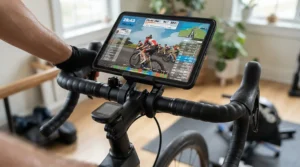
This bracket was designed for bikes on indoor trainers, which makes it a natural for Zwift-style setups. It fits bars from 26 to 35 mm (about 1.02–1.38 inches) and tablets up to 267 mm long and 197 mm wide.
The 13 mm thickness cap is the detail to respect. A slim iPad in a thin case fits comfortably, but a rugged shock-proof case may not. And a 26–35 mm window covers road-style bars nicely while excluding fatter spin-bike tubes.
DC Rainmaker’s in-depth review called it the best solution he’d found for smaller indoor setups. He also flagged poor results on tri bikes and aero-style bars, a non-issue for most stationary bikes.
At one European retailer it averaged 4.3 out of 5 from 69 reviews. Reviewers called it stable and easy to mount. Complaints included a sliding mechanism that could glide more smoothly, a climb counter that had to come off the bars, and one rider who had to file the fixation bar to fit a thick stem.
Pros:
- ✅ Stable, adjustable cradle
- ✅ Purpose-built for indoor training
- ✅ Easy handlebar mounting
Cons:
- ❌ 13 mm tablet thickness cap
- ❌ Won’t fit bars above 35 mm
Price range: roughly $40–$120 depending on retailer. Value verdict: good at the low end, hard to justify at the top.
7. RAM Mounts X-Grip Handlebar U-Bolt Mount (RAM-B-149Z-UN9U) — overbuilt on purpose
Think of this as the industrial option. The kit pairs a zinc-coated U-bolt base with a double-socket arm and a spring-loaded X-Grip cradle sized for 9–11 inch tablets. RAM lists a weight capacity of 2 lbs for standard use and 1 lb for heavy-duty use.
The U-bolt kits I found include bolts for roughly 0.5–1 inch and 1–1.25 inch rails. That makes install a tool job rather than a twist-knob job, but it also means the mount isn’t going anywhere. The X-Grip depth tops out around 0.875 inches, so thick cases are welcome.
Honest analysis: this is overkill for a casual rider and a bargain for someone mounting a valuable tablet for years. RAM states a lifetime warranty, which is a manufacturer claim worth reading before you rely on it.
I couldn’t verify aggregated reviews. RAM’s own Q&A says an X-Grip tablet can rock back and forth about 15 degrees, which is normal, and recommends the safety tether if that bothers you.
Pros:
- ✅ Marine-grade aluminum and stainless hardware
- ✅ Welcomes tablets in thick cases
- ✅ Manufacturer-stated lifetime warranty
Cons:
- ❌ Costs several times a budget clamp
- ❌ U-bolt install needs tools
Price range: roughly $100–$165 depending on size and base. Value verdict: excellent longevity, poor entry-level economics.
How to Set Up Your Universal Tablet Holder for Stationary Bike Workouts in 10 Minutes
Setup is where good holders succeed or fail. A few minutes of care beats a month of fiddling.
Step-by-step installation
- Measure first. Wrap string around your bar, mark it, and divide the length by 3.14 for the diameter. Compare that to the clamp range.
- Pick a clear spot. Center the holder where your knees and the console won’t collide on standing climbs.
- Clamp, then tug. Tighten, then give it a firm pull. If it shifts, add padding or re-seat it.
- Route the cable. Leave slack so charging cords don’t tug the cradle sideways.
- Set the angle. Tilt the screen slightly toward your face to reduce neck strain and glare.
Maintenance schedule
Check tightness weekly for the first month, then monthly. Wipe rubber pads with a damp cloth so sweat salt doesn’t turn them slick.
Common mistakes in the first 30 days
Overtightening plastic clamps cracks them. Skipping the tug test invites a mid-ride droop. Forgetting to lock screen rotation turns a mild lean into a sideways movie.
Real-World Scenarios: Matching a Universal Tablet Holder for Stationary Bike Setups to Riders
These are illustrative profiles, not testimonials. They show how the specs translate into decisions.
The college student on a shared spin bike
Picture someone with a 1.25-inch handlebar, an 11-inch iPad, a budget near $25, and five rides a week. The KDD Spin Bike Tablet Holder or Lamicall Tablet Holder for Spin Bike fits the bars, covers the tablet, and respects the wallet. Spend less and you risk a flimsy arm. Spend more and you’re paying for features this rider won’t use.
The Zwift rider with a bike on a trainer
Road handlebars commonly sit near 31.8 mm at the clamp area, which falls inside the Tacx Tablet Handlebar Mount range. With sessions three times a week and a slim tablet, its trainer-focused design suits the setup. Check the case thickness against the 13 mm limit first.
The home gym with rotating family tablets
Now imagine thick 1.5-inch bars and rugged kid-proof cases that change monthly. The Arkon Tablet Clamp Mount handles the bar diameter, and the RAM Mounts X-Grip handles the case depth. Either one will likely outlast the tablets themselves.
Common Problems with a Universal Tablet Holder for Stationary Bike Use (and How to Fix Them)
Problem: the screen wobbles during sprints. Shorten the arm if your holder allows it, and use a rigid metal option like the Lamicall Tablet Holder for Spin Bike. Leverage is the enemy: more arm length means more shake.
Problem: the clamp slowly slips downward. Sweat and vibration are the usual culprits. Wipe the bar clean, retighten, and consider the padded jaws of the KDD Spin Bike Tablet Holder.
Problem: your case is too thick. Check the depth specs before buying. The Tacx Tablet Handlebar Mount caps at 13 mm, while the RAM Mounts X-Grip allows roughly 0.875 inches.
Problem: the charging cable yanks the tablet. Loop the cable once around the arm so tension never reaches the cradle.
Problem: glare ruins the picture. Tilt the screen a few degrees down and away from overhead lights, or turn the brightness up before the ride.
How to Choose a Universal Tablet Holder for Stationary Bike Rides
- Measure your handlebar diameter. This is the single most common reason a holder doesn’t fit, so settle it before browsing.
- Check your tablet’s size and case thickness. Include the case in your measurements, not just the bare device.
- Compare weight to the holder’s capacity. Many budget listings don’t publish one, which itself tells you something.
- Choose clamp or strap. Clamps are more rigid, while straps are more forgiving on odd tube shapes.
- Insist on 360-degree rotation. Landscape and portrait both matter, and tilt saves your neck.
- Match durability to usage. Daily riders benefit from metal parts, while occasional riders can save money.
Bike Handlebar Clamp Size: How to Measure Before You Buy
Bike handlebar clamp size is the number that quietly decides whether your new holder is a triumph or a return label. Grab calipers if you own them. If not, the string trick from the setup guide works fine, and you can convert between inches and millimeters by multiplying inches by 25.4.
I couldn’t find a single authoritative standard for stationary bike bar diameters. Many home bikes seem to land in the 1-to-1.5-inch zone, but treadmills, ellipticals, and commercial equipment vary. Measure yours.
| Holder | Clamp Range (in) | Clamp Range (mm) | Best For |
|---|---|---|---|
| KDD Spin Bike Tablet Holder | 0.55–1.33 | 14–34 | Standard spin bikes |
| Lamicall Tablet Holder for Spin Bike | 0.5–1.33 | 14–34 | Slimmer to mid bars |
| Arkon Tablet Clamp Mount | 0.47–1.57 | 12–40 | Thick commercial bars |
| Tacx Tablet Handlebar Mount | 1.02–1.38 | 26–35 | Road-style bars |
| RAM Mounts X-Grip U-Bolt Mount | ~0.5–1.25 | ~13–32 | Permanent installs |
The table makes one thing obvious: the Arkon Tablet Clamp Mount has the widest reach, and the Tacx Tablet Handlebar Mount the narrowest. If your measurement lands between 1.33 and 1.57 inches, only the Arkon clears it among the clamps listed here. Strap-style options like the AboveTEK Universal Handlebar Mount sidestep the question entirely.
Tablet Holder Weight Limit: What the Numbers Really Mean
A tablet holder weight limit sounds like a boring spec until your tablet lands on a rubber mat mid-intervals. RAM states 2 lbs for standard use and 1 lb for heavy-duty use on its X-Grip kits. For the larger 12–13 inch version, RAM notes compatibility with the 12.9-inch iPad Pro without a case only.
Most budget brands don’t publish a capacity at all. Tacx specifies tablet dimensions and thickness, not weight.
For context, tablets weigh roughly 0.65 lb for an iPad mini, about 1 lb for an 11-inch iPad Air, and around 1.5 lb for a 12.9-inch iPad Pro. Those are approximate figures, so weigh yours. A sturdy case can add another half pound or more.
My rule of thumb: keep tablet plus case under roughly half the stated limit, and treat unrated holders as best for lighter devices. Weight limits also assume a stable bike. Add rocking, sprinting, and arm leverage, and the real-world margin shrinks.

Budget Tablet Holder Stationary Bike Guide: Cheap, Affordable, or Premium?
Cheap bike tablet holder: what you actually give up
A cheap bike tablet holder usually means plastic parts, unpublished limits, and thinner QC. It can still be perfectly fine for a phone or a small tablet.
Affordable universal tablet mount: where the value lives
An affordable universal tablet mount, like the KDD Spin Bike Tablet Holder or Lamicall Tablet Holder for Spin Bike, adds padded jaws, wider ranges, or metal parts for a few extra dollars. This is where most riders should shop.
Budget tablet holder stationary bike math: cost per ride
| Tier | Typical Range | Example | Best For |
|---|---|---|---|
| Cheap | Under ~$30 | AboveTEK Universal Handlebar Mount | Phones, small tablets |
| Affordable | ~$20–$60 | Lamicall Tablet Holder for Spin Bike | Daily mid-size use |
| Premium | ~$100–$165 | RAM Mounts X-Grip | Heavy cases, years of use |
A holder around $25 used three times a week for a year costs about 16 cents per ride. A premium one around $125 over three years comes out near 27 cents. Premium isn’t wasteful, but it needs years to pay off.
Universal Tablet Holder for Stationary Bike vs Built-In Console Screen
| Feature | Universal Holder | Built-In Console |
|---|---|---|
| Content choice | Anything on your tablet | Often limited to the brand’s apps |
| Upgrade path | Swap the tablet freely | Locked to the bike |
| Cost to add | Low | High (smart-bike pricing) |
| Best For | Flexible, budget-conscious riders | Riders wanting one integrated system |
The table shows why flexibility wins for most people. A tablet already in your house can stream classes, run training apps, or play Netflix, with no new bike required. A built-in screen makes sense only if you want tight hardware-software integration and don’t mind the price. For everyone else, a holder like the KDD Spin Bike Tablet Holder delivers most of the benefit at a small fraction of the cost.
Features That Actually Matter (and the Ones That Don’t)
Matters: a clamp range that fits your bars, 360-degree rotation, and a padded or rubberized grip. These decide daily satisfaction.
Matters somewhat: metal versus plastic parts. Metal feels better and resists flex, but a well-designed plastic clamp can last for casual use.
Mostly marketing: vague claims of military-grade anything and “universal” without ranges. Universal means fits many things, never everything. Demand numbers.
Underrated: arm length. Shorter arms wobble less, so only buy long reach if you need it.
Often forgotten: charging access. A 60-minute class on a tablet at 30 percent battery is a plot twist nobody wanted.
What to Expect: Real-World Performance of a Universal Tablet Holder for Stationary Bike Setups
On paper, every holder looks rock steady. In practice, expect solid performance at steady cadence and a little shimmy during sprints or standing efforts. Rigid clamps, short arms, and balanced tablets minimize it.
Glare is the surprise annoyance, particularly under overhead lighting or near windows. Sweat is the other: place the tablet away from drip zones and keep a towel handy. Longer rides also drain batteries faster than you’d guess when brightness is high.
Finally, expect a break-in period. Your first week is mostly adjusting angles, tightening, and finding where the screen feels natural. After that, a good mount fades into the background, which is exactly what you want from one.
Frequently Asked Questions
❓ How much should I spend on a universal tablet holder for stationary bike workouts?
❓ Can I use a bike tablet holder on a treadmill or elliptical?
❓ Will a thick case fit in a universal tablet mount?
❓ Does a cheap bike tablet holder work for a 12.9-inch iPad Pro?
❓ Is a universal tablet holder for stationary bike worth buying?
Conclusion
If you remember only one thing, make it this: measure your handlebar before you shop. Everything else flows from it. For most riders, the KDD Spin Bike Tablet Holder or Lamicall Tablet Holder for Spin Bike hit the sweet spot of range, fit, and price. Pick the AboveTEK Universal Handlebar Mount or Sunny Health & Fitness No. 082 if you want strap-on simplicity for smaller screens. Reach for the Arkon Tablet Clamp Mount when bars are thick or tablets are huge. Choose the Tacx Tablet Handlebar Mount if your bike lives on a trainer with road-style bars. And treat the RAM Mounts X-Grip as the buy-it-once option.
There’s also a quiet bonus. Research summarized by University of Florida Health on a University of Ottawa study of teenage boys suggests that watching TV or listening to music while exercising may not hurt, and may even encourage people to exercise more often. A screen you can see is a small nudge toward the next workout.
✨ Ready to Upgrade Your Indoor Rides?
🔍 Take your universal tablet holder for stationary bike search from guesswork to a confident pick. Click on any highlighted product name to check current pricing and availability, then match the clamp range and weight limit to your own bike. Your next ride just got a lot more watchable!
Recommended for You
- Phone Holder For Treadmill Running: 7 Top-Rated Picks 2026
- Magnetic Phone Holder For Home Gym: 7 Rock-Solid Picks (2026)
- Phone Holder For Exercise Bike: 7 Best Picks For 2026
Disclaimer: This article contains affiliate links. As an Amazon Associate, I earn from qualifying purchases. If you purchase products through these links, we may earn a small commission at no additional cost to you.
✨ Found this helpful? Share it with your friends! 💬🤗
