
In This Article
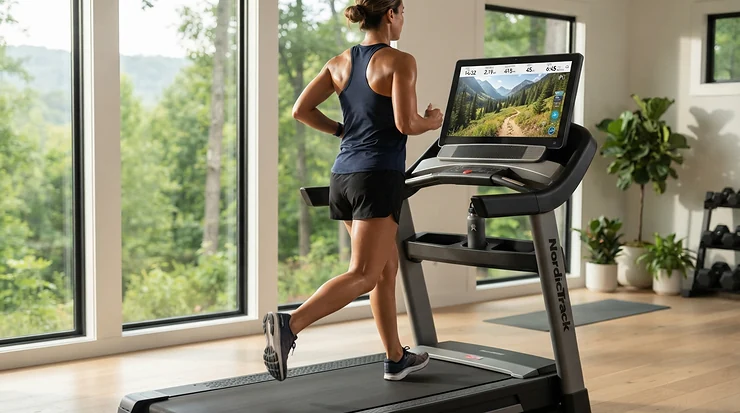
An iPad holder for treadmill workouts is a clamp, tray, or gooseneck mount that secures your tablet at eye level on a treadmill’s handlebar or console. It lets you stream, read, or follow classes hands-free. A good one resists vibration, fits your device and case, and never blocks the machine’s controls.
Let’s be honest: most treadmill consoles were designed by someone who has never watched a 45-minute class on a 7-inch screen. Balancing a tablet on the console and hoping for the best is a gamble with a very expensive prize. Gravity always collects.
A dedicated mount fixes that. Your iPad sits where your eyes already are, and the display stops juddering with every footfall. The “just one more episode” pull is real, too, and it makes the miles go by.
That matters for your health, not just your entertainment. The CDC’s adult activity guidance calls for at least 150 minutes of moderate-intensity activity a week. Anything that makes a 30-minute walk feel shorter helps you actually hit that number.
Here’s the plan. This guide compares seven real mounts, then digs into fit, wobble, glare, and streaming setup. Everything below is built from published specs and aggregated reviews, so you get analysis rather than hype.
Quick Comparison: iPad Holder for Treadmill Workouts at a Glance
Here’s the fast version before the deep dive. Price ranges reflect where this category typically sits, which is a $20-$50 band, not live Amazon pricing, so check current prices before buying.
| Product | Best For | Typical Price Range | Rating Signal |
|---|---|---|---|
| KDD Spin Bike Tablet Holder Mount | Most home treadmills | $20-$35 | 4.7 stars, ~3,000 reviews (roundup-reported) |
| CreaDream Aluminium Tablet Mount Clamp | Fast runners, thick bars | $30-$50 | Not verified |
| Arkon Heavy Duty Tablet Holder with Gooseneck | Zero-wobble permanent setups | $30-$50 | Not verified |
| Lamicall Tablet Holder Mount | Value-minded aluminum fans | $20-$35 | 4.7 stars, 2,000+ reviews (roundup-reported) |
| OHLPRO Tablet Mic Stand Holder | One mount for many machines | $20-$40 | Not verified |
| Jetec Treadmill Book Holder Clear Acrylic | Walkers who want no clamp | $20-$30 | Not verified |
| Tryone Gooseneck Tablet Holder | Budget buyers with smaller iPads | $15-$25 | ~4.2 stars, ~16,000 reviews (2024 community posts) |
Look at the table and a pattern jumps out. The KDD Spin Bike Tablet Holder Mount and Lamicall Tablet Holder Mount share the same broad compatibility, but the Lamicall trades plastic for aluminum. If you run hard, the CreaDream Aluminium Tablet Mount Clamp and Arkon Heavy Duty Tablet Holder with Gooseneck justify their slightly higher price range through rigidity. Walkers can save money with the Jetec Treadmill Book Holder Clear Acrylic or the Tryone Gooseneck Tablet Holder, which both cost less but cap out on size or speed.
💬 Just one click — help others make better buying decisions too!😊
Top 7 iPad Holder for Treadmill Workouts: Expert Analysis
1. KDD Spin Bike Tablet Holder Mount — best universal fit for most treadmills
The headline feature is range: one cradle that swallows everything from a large phone to a 13-inch iPad.
Per the listing, the clamp closes on bars about 14-34mm across, the body blends PC, ABS, metal, and rubber, and the quoted capacity is 8kg. That clamp window covers the skinny-to-chunky bars found on most home machines. The generous rating means an iPad Pro in a thick case isn’t pushing the limits. The 360-degree ball joint flips you between landscape streaming and portrait reading in seconds.
Based on the spec comparison, this is the “buy it and stop thinking” option. It lacks the rigidity of an all-metal arm, but its short reach keeps the tablet snug to the console. A short lever wiggles less than a long gooseneck. Anyone who moves a mount between a treadmill, an elliptical, and a spin bike will appreciate the tool-free swap.
Aggregated review sentiment, as reported in a published roundup, shows a 4.7-star average across nearly 3,000 reviews. Buyers consistently praise the easy install and firm grip. The recurring caveat is plastic wear after heavy use.
Pros:
- ✅ Fits 4.7- to 13-inch devices
- ✅ Tool-free clamp install
- ✅ Wide bar compatibility range
Cons:
- ❌ Plastic body may wear over time
- ❌ Less rigid than all-metal arms
Price range: roughly $20-$35, so check current price. Verdict: the best all-rounder value in the group.

2. CreaDream Aluminium Tablet Mount Clamp — widest clamp and most angle control
The standout here is geometry: separate long-arm, short-arm, and ball-joint pivots that let you park the screen exactly at eye level.
The listing describes a 99% aluminum alloy body, a 16-45mm (0.63-1.77 inch) clamp, and 4.7- to 13-inch device support. Included wrenches lock each joint. In practice, that clamp opening is the widest in this roundup, so chunky commercial-style bars and thick consoles stop being a worry. Locked joints also mean no drift mid-interval, which is where lesser mounts quietly sag.
On paper this is the pick for tall runners. A long, multi-pivot arm lets you lift the iPad rather than crane your neck down at it. The honest trade-off is setup time, because you’ll need the wrenches and a few minutes of patience.
Reviewers in published roundups note the ball joint itself is plastic, and the clamp-to-frame connection can feel thin. I’d treat those as “tighten it properly” warnings, not dealbreakers. Verifiable large-sample review data wasn’t available, so no star average is quoted here.
Pros:
- ✅ Widest clamp range in this guide
- ✅ Aluminum body damps vibration
- ✅ Three independent pivot points
Cons:
- ❌ Needs wrenches for setup
- ❌ Plastic ball joint reported
Price range: roughly $30-$50, so check current price. Verdict: worth it if you run fast or own thick bars.
3. Arkon Heavy Duty Tablet Holder with Gooseneck — the stiffest arm for zero wobble
The headline is rigidity. This is a steel-reinforced clamp with a 12-inch gooseneck that refuses to flop.
Listing details point to a steel C-clamp that grips surfaces up to roughly 2.25 inches thick, plus interchangeable support legs sized for everything from small e-readers up to a 12.9-inch iPad. It weighs around 1.5 pounds. That weight is a feature, not a flaw: mass is what stops a screen from buzzing at running speed.
What most buyers overlook is the stiffness itself. Published reviews flag that the gooseneck needs real two-handed effort to bend. That’s the cost of a stable arm. Once you set the angle, you commit to it for the session, so this suits a permanent home setup rather than a gym-bag mount.
Aggregated sentiment from a published roundup is that the arm holds steady during exercise and the rubberized grips protect surfaces. The consistent complaint is the stiff bend and the extra weight. No reliable star average was verifiable.
Pros:
- ✅ Rigid arm resists vibration
- ✅ Steel C-clamp grips firmly
- ✅ Interchangeable legs fit many sizes
Cons:
- ❌ Stiff to reposition
- ❌ Heavy for travel
Price range: roughly $30-$50, so check current price. Verdict: the best stability per dollar for fixed setups.
4. Lamicall Tablet Holder Mount — aluminum feel at an everyday price
The hook is aluminum construction in a price bracket that usually means plastic.
The listing covers 4.7- to 12.9-inch devices, a clamp for bars around 14-34mm, and a 360-degree ball joint. Aluminum dampens vibration better than molded plastic, and the rubber contact pads keep the clamp from creeping. The practical result: a steadier screen than bargain plastic mounts, without the bulk of the steel option.
Based on the numbers, this is the pick for someone who wants a premium feel on a mid-range budget. It also doubles nicely on a stationary bike if your household owns both machines. One published roundup mentions that the thumbscrew may need a small re-tighten after a long jog, which is normal maintenance for any clamp.
Aggregated review sentiment reports a 4.7-star average across more than 2,000 reviews. Buyers praise build quality and a smooth joint. The common caveats are occasional re-tightening and a listing that excludes outdoor riding.
Pros:
- ✅ Aluminum clamp feels durable
- ✅ Smooth 360-degree rotation
- ✅ Fits up to 12.9-inch tablets
Cons:
- ❌ May need occasional re-tightening
- ❌ Not for outdoor use
Price range: roughly $20-$35, so check current price. Verdict: arguably the strongest value on this list.
5. OHLPRO Tablet Mic Stand Holder — grips tubes and flat edges alike
The standout is the clamp itself. It handles round tubes and flat surfaces, which almost nothing else here can do.
Listings describe tube compatibility of roughly 0.5-1.57 inches and flat surfaces up to about 2 inches, with 5- to 13-inch device support and two ball heads. That second ball head matters. You can adjust tilt and rotation independently, which helps when you switch from running to floor work beside the machine. One caution from the listing: large tablets clamp on the short edges only, which feels less secure than a long-edge grip.
For anyone with an oddly shaped console or a flat top rail, the flat-surface option is a genuine problem-solver. It is also the mount most likely to leave the treadmill and join your microphone stand or tripod.
A published roundup notes that a small share of one-star reviews describe part failures within weeks, such as a snapping screw. Treat it gently and avoid daily mount-unmount cycles. No reliable star average was verifiable.
Pros:
- ✅ Clamps tubes and flat surfaces
- ✅ Two independent ball heads
- ✅ Tool-free installation
Cons:
- ❌ Some reported early part failures
- ❌ Large tablets grip short edges
Price range: roughly $20-$40, so check current price. Verdict: great flexibility, with a durability caveat worth respecting.
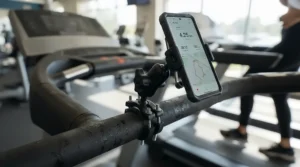
6. Jetec Treadmill Book Holder Clear Acrylic — a clamp-free tray for easy walks
The hook is simplicity. It’s a clear acrylic ledge that slides onto the console, and that’s the whole story.
Per the listing, it comes in several sizes, including 9x8x2.5 inches, so you can match the thickness of your console top. The clear material means your treadmill’s own readouts stay visible through it. For walkers at a relaxed pace, that makes for a tidy, scratch-free setup with no hardware at all.
The analytical take is simple. A tray supports the tablet from below rather than gripping it, so it works best at walking pace. The clamp mounts in this list handle running better.
Reviewer sentiment in a published roundup is that it slides on in seconds and holds books and tablets well. Some buyers say the actual size feels shorter than the photos suggest. Touch controls near the top of a tall tablet can feel awkward.
Pros:
- ✅ No clamp or tools needed
- ✅ Clear acrylic keeps displays visible
- ✅ Several sizes for console thickness
Cons:
- ❌ Tablet may bounce when running
- ❌ Listed size can feel short
Price range: roughly $20-$30, so check current price. Verdict: ideal for easy-pace walkers on flat consoles.
7. Tryone Gooseneck Tablet Holder — the budget classic with a big review base
The hook is price plus track record, with an aluminum neck at a tiny budget.
Community deal posts from 2024 describe compatibility with devices around 4.7-10.5 inches and a solid aluminum neck rather than a floppy lamp-style one. That means it suits iPad minis and standard iPads well. It’s a poor match for a 12.9-inch iPad Pro, which would overload both the spring clamp and the neck.
An independent reviewer noted that removing a tablet from the spring clamp can be fiddly, and that sturdier all-metal mounts exist for a few dollars more. Think of it as a stepping stone: great for light walking, but upgrade if you start jogging.
Aggregated sentiment from the same community posts cites roughly 16,000 reviews averaging about 4.2 stars, a large and mixed-positive sample. Treat the number as a 2024 snapshot.
Pros:
- ✅ Very low price range
- ✅ Huge review sample
- ✅ Aluminum neck, not flimsy flex
Cons:
- ❌ Caps near 10.5-inch devices
- ❌ Fiddly spring-clamp release
Price range: roughly $15-$25, so check current price. Verdict: a smart low-risk starter for lighter tablets and walking.
How to Choose an iPad Holder for Treadmill Workouts
Picking well takes five minutes of measuring. Follow these steps in order.
- Measure your bar or console. Use a tape measure, then compare it to each mount’s clamp range. A clamp that’s too small won’t seat, and a too-large one won’t grip.
- Check your iPad size and case. A 13-inch iPad Pro in a thick case demands a deeper cradle than a mini. Match the listed device range to the case-on size.
- Decide your top speed. Walkers can use trays or light goosenecks. Joggers and runners should prefer rigid arms or aluminum clamps.
- Pick a material. Metal dampens vibration better than molded plastic, though plastic keeps weight and price down.
- Plan for angles. Look for a 360-degree ball joint, and for extra reach if you’re tall.
- Confirm tool-free needs. If you’ll move it between machines, avoid wrench-based installs.
Here’s the logic behind that order. Fit problems are unfixable after delivery, but wobble problems are partly fixable with technique. Always solve fit first.
Treadmill Console Compatibility: Will an iPad Mount for Treadmill Console Setups Actually Fit?
Treadmill console compatibility is the number one thing people skip, and the number one reason mounts get returned. Roundups generally say standard home-machine handlebars fall around 0.6 to 1.77 inches in diameter. Still, consoles vary. Some are curved, some are thick, and some have no bar at all.
Treadmill designs themselves vary widely, from motorized belts to manual slat models, and that diversity is why a one-size mount rarely fits everything. A manual curved-top machine, for instance, defeats most trays.
Your first move is to identify your attachment point. If you want an iPad mount for treadmill console use, consider these cases:
- Round handlebar: any clamp works if the diameter fits.
- Flat console top: a tray or a flat-surface clamp is better.
- Curved or no bar: try a floor-standing stand or a longer arm.
| Product | Attachment Range | Device Size | Build | Best For |
|---|---|---|---|---|
| KDD Spin Bike Tablet Holder Mount | ~14-34mm bars | 4.7-13 in | PC/ABS/metal/rubber | Most machines |
| CreaDream Aluminium Tablet Mount Clamp | ~16-45mm bars | 4.7-13 in | Aluminum alloy | Thick bars |
| Arkon Heavy Duty Tablet Holder with Gooseneck | C-clamp, ~2.25 in thick | Small to 12.9 in | Steel and gooseneck | Permanent setups |
| Lamicall Tablet Holder Mount | ~14-34mm bars | 4.7-12.9 in | Aluminum | Value |
| OHLPRO Tablet Mic Stand Holder | 0.5-1.57 in tubes, flat to ~2 in | 5-13 in | ABS/nylon | Odd shapes |
| Jetec Treadmill Book Holder Clear Acrylic | Slide-on, size-matched | Tablets and books | Acrylic | Flat tops |
| Tryone Gooseneck Tablet Holder | Clamp base | ~4.7-10.5 in | Aluminum neck | Light tablets |
Looking at the table, the CreaDream Aluminium Tablet Mount Clamp and OHLPRO Tablet Mic Stand Holder cover the widest attachment variety, which makes them the safest bets if you aren’t sure of your console’s geometry. The Jetec Treadmill Book Holder Clear Acrylic is the only no-clamp option, so it suits flat tops. Measure first, then match.
Stable Tablet Holder for Running: What Actually Stops the Wobble
A stable tablet holder for running isn’t about one magic feature. It’s about three physical things: a short lever, a rigid material, and a tight grip.
Think of your mount as a diving board. A long, soft gooseneck is a springboard, and every footfall launches your iPad into a gentle bounce. A short, stiff arm behaves like a concrete ledge. Published roundups consistently list wobble as the top complaint, particularly with soft gooseneck arms at faster speeds.
Weight matters too. One competing gooseneck listing from WISHCODE caps its load around 2.2 pounds and advises lighter tablets for running, because heavier screens create more motion force. An iPad Pro 13 weighs roughly 1.3 pounds before a case. Add a rugged case and you can land near the limit.
Here’s how to make any mount steadier:
- Keep the arm as short as your eye line allows.
- Lock every joint fully before you start.
- Remove bulky cases when possible.
- Place the clamp close to the console body, not at the bar’s tip.
On the safety side, never let the tablet block the machine’s emergency stop, display, or safety clip. Route charging cables away from the belt, too.
✨ Don’t Miss These Exclusive Deals!
🔍 Take your treadmill sessions to the next level with these carefully selected mounts. Click on any highlighted product to check current pricing and availability. These tools will help you build a steady, distraction-free workout setup you’ll actually look forward to!
Large Screen Holder Treadmill Setups: Fitting an iPad Pro 13 Safely
A large screen holder treadmill buyer faces different math than someone with an iPad mini. Bigger glass means bigger leverage, and leverage is the enemy of stability.
An iPad Pro 13 is roughly the size of a hardcover magazine. Hang that from a thin plastic arm and the physics get ugly. The best large screen holder treadmill options in this guide are the Arkon Heavy Duty Tablet Holder with Gooseneck, the CreaDream Aluminium Tablet Mount Clamp, and the KDD Spin Bike Tablet Holder Mount, which all list support for devices up to around 12.9 to 13 inches. The Tryone Gooseneck Tablet Holder tops out near 10.5 inches, so it’s out.
Large tablets raise two practical issues. First, grip geometry: the OHLPRO Tablet Mic Stand Holder clamps large tablets on the short edges only, which feels less secure at speed. Second, sightline: a big screen can block your view of the console, so mount it slightly off-center or higher.
If you’re a walker who loves a huge picture, the extra size is a joy. If you run, consider stepping down to an iPad Air or mini. Lighter and smaller tablets make every mount perform better, and your neck will thank you too.
Tablet Screen Glare on the Treadmill: How to Fix It
Tablet screen glare is the silent workout killer. You finally get a stable mount, then discover that the ceiling light turns your iPad into a mirror.
Start with geometry. Glare is a reflection, so change the angle. Tilt the iPad slightly down or up, or rotate it a few degrees until the overhead fixture’s reflection slides off. Pointing the screen away from windows helps even more. Then raise brightness, but only as a last resort, because battery drain is real.
Hardware helps too. Apple’s nano-texture glass option scatters ambient light, and one reviewer found it more effective against reflections than expected. Reviewers also report it slightly lowers contrast. On the M4-generation iPad Pro, it was limited to 1TB and 2TB configurations at launch, so confirm what’s currently offered. For everyone else, a matte anti-glare screen protector is the budget fix.
The mount you choose can reduce tablet screen glare indirectly. Mounts with multiple pivots, like the CreaDream Aluminium Tablet Mount Clamp and the OHLPRO Tablet Mic Stand Holder, let you fine-tune tilt without moving your body. A fixed-angle tray gives you less control, so it’s worse for glare.
Workout Streaming Apps: Matching Your Mount to Your Routine
Workout streaming apps behave differently depending on whether you’re walking, intervals-running, or just watching a series. Your mount should match.
Class-based apps, which usually run in landscape, reward a steady, eye-level screen. Whether you’re following a coach on Peloton’s app, Apple Fitness+, or a YouTube channel, a stable landscape position keeps the instructor sharp. Rigid mounts like the Arkon Heavy Duty Tablet Holder with Gooseneck shine here.
Entertainment streaming, like a show or movie, is more forgiving. Walkers can use the Jetec Treadmill Book Holder Clear Acrylic or the Tryone Gooseneck Tablet Holder without trouble.
A few setup tricks keep workout streaming apps humming:
- Download episodes or classes ahead of time to avoid buffering.
- Turn on a Focus mode so notifications don’t pop up mid-stride.
- Set Auto-Lock to a longer interval in Settings, then restore it afterward.
- Pair Bluetooth headphones so cables never reach the belt.
Keep the router in mind, too. If your treadmill lives in a garage corner, weak Wi-Fi will wreck even a flawless mount.
Practical Setup Guide: Mount It Right in 10 Minutes
Most mount problems are install problems. Here’s a routine that works for nearly any clamp.
Step 1: Clean the bar. Wipe off dust and sweat residue so the rubber pads can grip.
Step 2: Position low and close. Clamp near the console body, not the bar’s far end. Shorter lever arms mean less wobble.
Step 3: Tighten in stages. Snug it, wiggle it, then tighten again. Rubber compresses, so a first pass often loosens.
Step 4: Seat the tablet. Make sure the jaws grip both sides evenly, with ports and buttons accessible.
Step 5: Test at walking pace. Before you ever jog, walk for two minutes and watch for drift.
Step 6: Re-check at week one. One published roundup noted a thumbscrew needing a quarter-turn after long sessions, so check yours.
For your first 30 days, avoid these common mistakes: over-tightening plastic until it cracks, leaving the iPad in direct sunlight, and forgetting to confirm that the safety clip is still reachable. A little patience now saves a dropped tablet later.

Real-World Scenarios: Which Mount Fits Which Runner?
Specs are abstract, so here are three realistic profiles matched to mounts.
The campus walker. Picture a college student walking 3.5 mph for 30 minutes in a shared gym, watching lectures on an iPad Air. Budget matters, and the machine is flat-topped. The Jetec Treadmill Book Holder Clear Acrylic keeps costs low and needs no hardware. If the console has a bar, the Lamicall Tablet Holder Mount adds a more secure grip for a small premium.
The interval trainer. Consider someone doing 8-10 mph intervals three times a week with an iPad Pro 13 in a protective case. Wobble would ruin every class. The CreaDream Aluminium Tablet Mount Clamp or Arkon Heavy Duty Tablet Holder with Gooseneck earns its higher price range here, and removing the case helps even more.
The apartment renter. Imagine a renter with a folding treadmill and a mid-size tablet who wants zero marks on the machine. The KDD Spin Bike Tablet Holder Mount gives a tool-free, removable fit, and the rubber pads reduce scratching risk. If the bar is unusual, the OHLPRO Tablet Mic Stand Holder broadens the options.
Notice the pattern: speed, device size, and attachment point decide almost everything. Price rarely does.
Problem and Solution Guide: Fixing the Five Most Common Annoyances
Even a good mount hits snags. Here’s what to do.
Problem 1: The screen vibrates. Shorten the arm, lock every joint, and consider a lighter tablet. If it persists, step up to a rigid option like the Arkon Heavy Duty Tablet Holder with Gooseneck.
Problem 2: The clamp slips. Clean the bar, then retighten after a few minutes. Rubber pads need friction, and sweat is slippery.
Problem 3: The case won’t fit. Check the jaw depth against your case thickness. If it’s too thick, try the KDD Spin Bike Tablet Holder Mount for its wide range, or remove the case.
Problem 4: Your neck hurts. The screen is too low. Raise it with a long-reach mount such as the CreaDream Aluminium Tablet Mount Clamp.
Problem 5: Sweaty fingers cause phantom taps. Start the class before you begin running, then avoid touching the screen. Voice and headphone controls help.
Most “bad mount” complaints are really one of these five. Diagnose before you replace.
iPad Holder for Treadmill Workouts vs Alternatives
Is a clamp even the right call? Here’s the comparison.
| Option | Screen Size | Stability | Best For |
|---|---|---|---|
| iPad holder, clamp style (e.g., KDD Spin Bike Tablet Holder Mount) | Up to ~13 in | High with metal arms | Runners and walkers |
| Tray style (e.g., Jetec Treadmill Book Holder Clear Acrylic) | Tablets and books | Medium at walking pace | Easy-paced walkers |
| Built-in console screen | Often small | High | No-fuss simplicity |
| Wall-mounted TV | Large | Very high | Dedicated home gyms |
| Phone in an armband | Small | Variable | Audio and quick glances |
One writer who tried a high-end treadmill with a built-in 7-inch screen found it hard to watch while running, and pivoted to using an iPad instead. That fits what the table suggests. Built-in screens are convenient but cramped, while a wall TV is great but permanent and costly.
A mounted iPad splits the difference. It’s large enough to enjoy, portable enough to move, and cheap enough to replace. For most home exercisers, an iPad holder for treadmill workouts is the sweet spot between convenience and picture size.
Common Mistakes When Buying an iPad Holder for Treadmill Workouts
Plenty of buyers end up shopping twice. Avoid these traps.
Buying by screen size alone. Device compatibility is only half of fit. Bar diameter and case thickness matter just as much.
Trusting a “universal” label. Universal usually means “fits most.” Treadmill console compatibility still needs your tape measure.
Ignoring weight. A heavy iPad Pro on a light arm wobbles. Always compare your total device weight against the mount’s stated limits.
Choosing a soft gooseneck for running. Published roundups call this the most common failure mode. If you jog, pick rigid.
Forgetting safety. Never block the emergency stop or display, and keep cords clear of the belt.
Skipping the return policy check. Some fits can only be proven at home, so buy somewhere with easy returns.
The theme is the same: fit and physics beat marketing every time. A few minutes of homework turns a $25 purchase into a multi-year fixture.
Long-Term Cost & Maintenance: What an iPad Holder Really Costs Per Workout
A mount looks cheap at $20-$50, but let’s run the math. Say you pay around $30 and use it three times a week. That’s about 156 workouts a year, or roughly 470 over three years. Your cost is about six cents per session. Compare that to a cracked tablet screen, which published guides point out can be costly to repair.
| Tier | Typical Price Range | Long-Term Value | Example |
|---|---|---|---|
| Budget | $15-$25 | Good for light walking | Tryone Gooseneck Tablet Holder |
| Mid-range | $20-$35 | Best balance | Lamicall Tablet Holder Mount |
| Premium | $30-$50 | Best for running | CreaDream Aluminium Tablet Mount Clamp |
The analysis is clear. The premium tier costs perhaps $15 more than the budget tier but protects an iPad worth hundreds, so it pays for itself if you run.
Maintenance is minimal. Re-tighten thumbscrews monthly, wipe off sweat, and inspect plastic joints for stress marks. One long-term reviewer of a different gooseneck reported a plastic connection failing after roughly three years, so a yearly inspection is cheap insurance. Replace any mount that shows cracks before it drops your tablet.

FAQ
❓ How much does an iPad holder for treadmill workouts cost?
❓ Can a gooseneck iPad mount hold an iPad Pro while jogging?
❓ Will a clamp mount damage my treadmill's handlebar or console?
❓ How do I reduce reflections when I watch videos while running?
❓ Is a tray better than a clamp for walking workouts?
Conclusion
Choosing an iPad holder for treadmill workouts comes down to three questions: what does your console look like, how fast do you move, and how big is your tablet? Answer those honestly and the right mount nearly picks itself.
For most people, the KDD Spin Bike Tablet Holder Mount is the safest all-rounder, with strong review sentiment and a wide fit range. Value hunters should look hard at the Lamicall Tablet Holder Mount. Runners with big iPads should step up to the CreaDream Aluminium Tablet Mount Clamp or Arkon Heavy Duty Tablet Holder with Gooseneck. Walkers on a budget can happily choose the Jetec Treadmill Book Holder Clear Acrylic or Tryone Gooseneck Tablet Holder, while the OHLPRO Tablet Mic Stand Holder rescues odd consoles.
The reward is bigger than convenience. The Physical Activity Guidelines for Americans emphasize that even modest increases in activity help people who move the least. A good mount makes the minutes disappear, and consistency is where results come from.
Measure your bar, match your tablet, and pick the steadiest option your budget allows.
✨ Ready to Upgrade Your Workout?
🏃 Check current pricing on your favorite pick above and turn treadmill time into your favorite part of the day. Your iPad (and your sanity) will thank you!
Recommended for You
- Waterproof Vs Dust Cover For Home Gym Equipment: 7 Best Picks (2026)
- Custom Fit Cover Vs Universal Elliptical Cover: 7 Top Picks 2026
- Cover For Elliptical Machine In Garage Gym: 7 Proven Picks (2026)
Disclaimer: This article contains affiliate links. As an Amazon Associate, I earn from qualifying purchases. If you purchase products through these links, we may earn a small commission at no additional cost to you.
✨ Found this helpful? Share it with your friends! 💬🤗
